Overview
Features
🧠 LangGraph Multi-Agent Copilot
- Cyclic Agentic Graphs: Intelligently routes, plans, analyzes, and drafts reports.
- Agent Subgraph Architecture:
- Research Graph: Ingests document context to build comprehensive cited overviews.
- Competitive Graph: Generates comparison matrices and competitive reports.
- Coding Graph: Evaluates, generates, and self-corrects algorithms.
- Data Analysis Graph: Parses tabular databases and extracts statistical summaries.
- Summary Graph & Technical Graph: Provides quick-read summaries and deep-dive technical evaluations.
- Citation Auditing: Back-references every LLM claim to source documents and page numbers.
📚 Enterprise Document Library
- Multi-Format Parsing: Built-in support for PDF, DOCX, and TXT files.
- MMR Search: Queries Pinecone vector stores using Maximum Marginal Relevance (MMR) to maximize retrieval diversity.
- Google GenAI Embeddings: Computes highly accurate semantic vector embeddings.
📬 Collaborative Email Client
- Integrated Inbox: Seamlessly check messages and write emails from the dashboard.
- AI Draft Co-Pilot: Auto-generate replies and compose email templates based on custom context and tone preferences.
📅 Calendar Event Scheduler
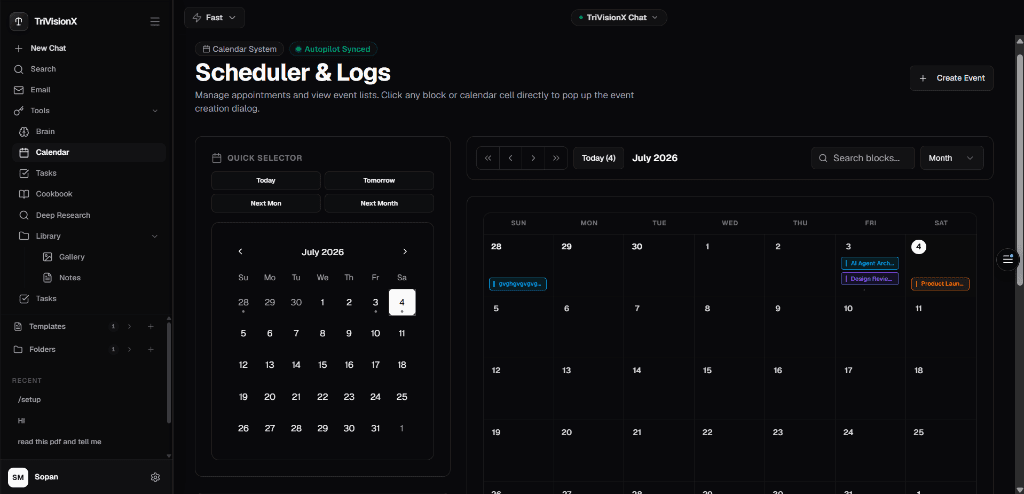
- Autopilot Syncing: Plan, drag-and-drop, and create events on an interactive calendar grid.
- System Logs Integration: Synchronize event reminders with task actions.
📝 Workspace Productivity (Tasks & Notes)
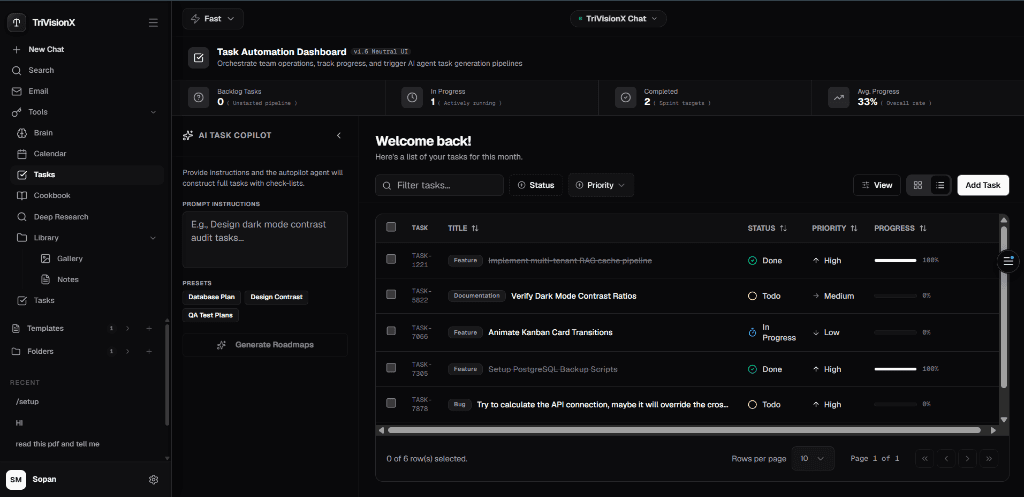
- Task Kanban Board: Keep track of todo backlogs, in-progress tasks, and completed logs.
- Rich-Text Notes: Write, store, and edit research notes directly alongside chat pipelines.
🔐 Modern Multi-Provider Authentication
- Secure Sessions: JSON Web Token (JWT) stateful authorization with refresh limits.
- Social OAuth2: Fast login integrations for both Google and GitHub providers.
Interface & Screenshots
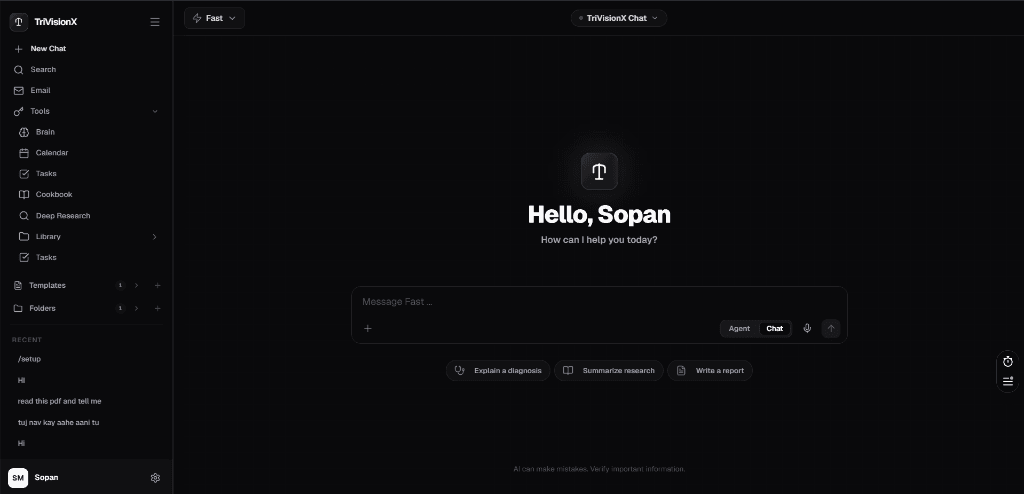
1. Chat Home Landing Page
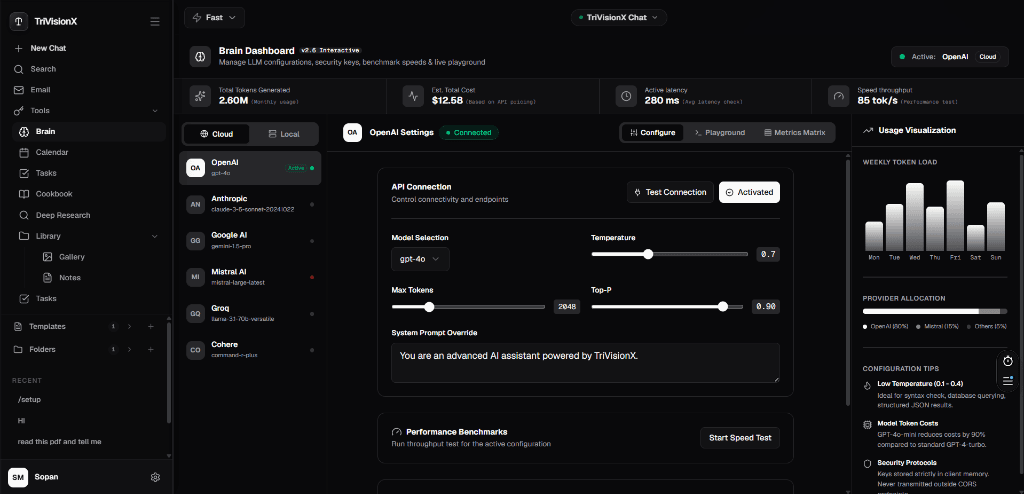
2. Brain Configuration (OpenAI Settings)
3. Task Automation Dashboard
4. Interactive Scheduler & Logs Calendar
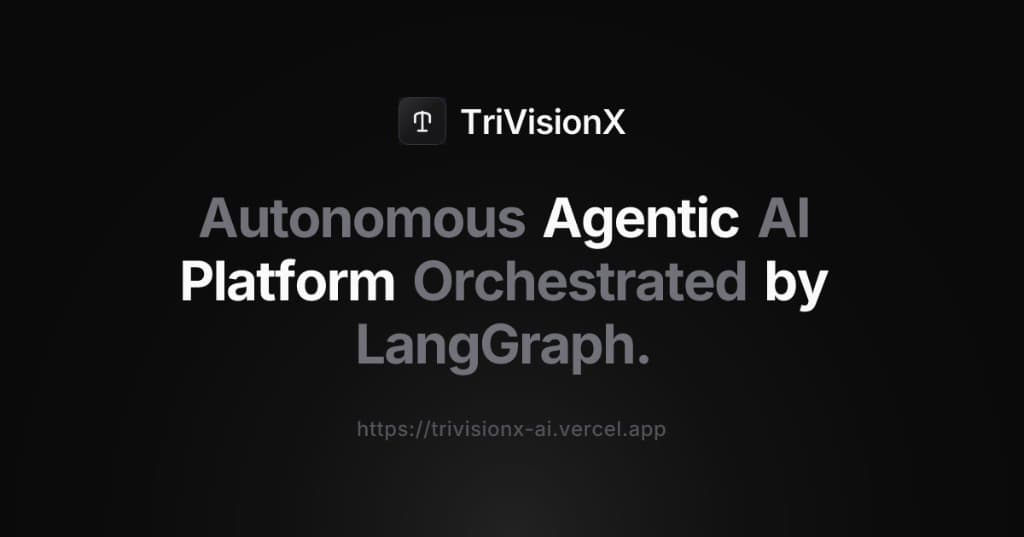
5. TriVisionX Landing Banner
Tech Stack
Project Structure
trivisionx-ai/
├── backend/                  # FastAPI Web Server & AI Agents
│   ├── src/
│   │   ├── agents/           # LangGraph workflows, nodes, and custom prompts
│   │   │   └── langgraph/    # Graph schemas, state mappings, and nodes
│   │   ├── api/              # API endpoints, controllers, and routing
│   │   ├── core/             # Centralized settings, security, and LLM factory
│   │   ├── database/         # MongoDB connections and repository patterns
│   │   ├── middleware/       # Compression, request logs, and shutdown controls
│   │   ├── models/           # ODM / Pydantic schemas for data entities
│   │   ├── rag/              # Ingestion, Pinecone vector stores, and embeddings
│   │   └── services/         # Business logic for chat, emails, and notes
│   ├── tests/                # Pytest test suite
│   ├── Dockerfile            # Multi-stage Python build file
│   └── index.py              # Main application execution entrypoint
│
├── frontend/                 # Next.js 15 Client Web App
│   ├── app/                  # Pages, routes, and global CSS
│   ├── components/           # UI elements (Sidebar, Email, Brain, Calendar, Tasks)
│   ├── hooks/                # Custom React state hooks
│   ├── lib/                  # Shared API client helpers and fonts
│   ├── public/               # Static assets (icons, SVGs, screenshots)
│   ├── __tests__/            # Vitest unit test suite
│   ├── Dockerfile            # Bun-to-Node standalone execution docker build
│   └── package.json          # Dependency configurations
Architecture
LangGraph Multi-Agent Workflow
- Planner Agent: Parses user prompts to decide whether to query documents, generate code, or execute competitive research.
- Retriever Agent: Performs semantic MMR vector searches on Pinecone using Google GenAI embeddings.
- Citation Agent: Audits retrieved chunks, checks relevance, and records document/page reference markers.
- Summarizer Agent: Consolidates context into markdown fragments.
- Reporter Agent: Compiles code blocks, formats tables, and streams responses to the client via Server-Sent Events (SSE).
API Reference
Authentication & Provider OAuth2
- POST /api/auth/register — Create a new email/password account.
- POST /api/auth/login — Sign in and obtain a JWT Access Token.
- GET /api/auth/google — Initiates Google OAuth2 login flow.
- GET /api/auth/github — Initiates GitHub OAuth2 login flow.
AI Copilot & Brain Settings
- POST /api/chat/ — Stream real-time research outputs over Server-Sent Events (SSE).
- GET /api/models — Retrieve available model configurations from provider endpoints.
- GET /api/brain/keys — Retrieve saved provider credentials and API keys.
- POST /api/brain/keys — Store custom client provider credentials securely.
Document Management
- POST /api/documents/upload — Parse and ingest document files (PDF/DOCX/TXT).
- GET /api/documents — List uploaded documents and parsing states.
- DELETE /api/documents/{id} — Delete a document and its corresponding Pinecone vectors.
Workspace CRUD Operations
- GET /api/tasks | POST /api/tasks — Manage task backlogs.
- GET /api/events | POST /api/events — Manage calendar events.
- GET /api/notes | POST /api/notes — Read and write rich-text research notes.
- GET /api/emails | POST /api/emails — List mailbox inbox records.
- POST /api/emails/draft — Autopilot draft compiler for email responses.
Quick Start
Prerequisites
- Bun (Frontend dependencies)
- Python 3.11+ (Backend runtime environment)
- Google AI Studio API Key (For default Gemini model embeddings/synthesis)
- MongoDB Atlas & Pinecone Accounts
1. Clone and Configure
Bash
Env
Env
2. Start the Backend
Bash
3. Start the Frontend
Bash
Deployment
Docker Deployments
- Backend Build: Uses Python 3.11-slim, compiles dependencies in a separate build stage, and runs under a non-root system user.
- Frontend Build: Uses Bun to install and compile files, generating a Next.js standalone server directory run via lightweight Node.js.
Hosting (Vercel & Render)
- Frontend (Vercel): Point Vercel to frontend/ as the root directory. Ensure NEXT_PUBLIC_API_BASE_URL is set to the live FastAPI URL.
- Backend (Render): Set up a new Web Service using the backend folder. Environment configurations in Render will connect to the Atlas MongoDB and Pinecone instances.
Contributing
- Fork the repository and create a branch.
- Review local setups in .github/CONTRIBUTING.md.
- Check coding standards and execute test suites:
- Frontend tests: bun test
- Backend tests: pytest